Wedding Planning Spreadsheet: What to Look For and How to Use One
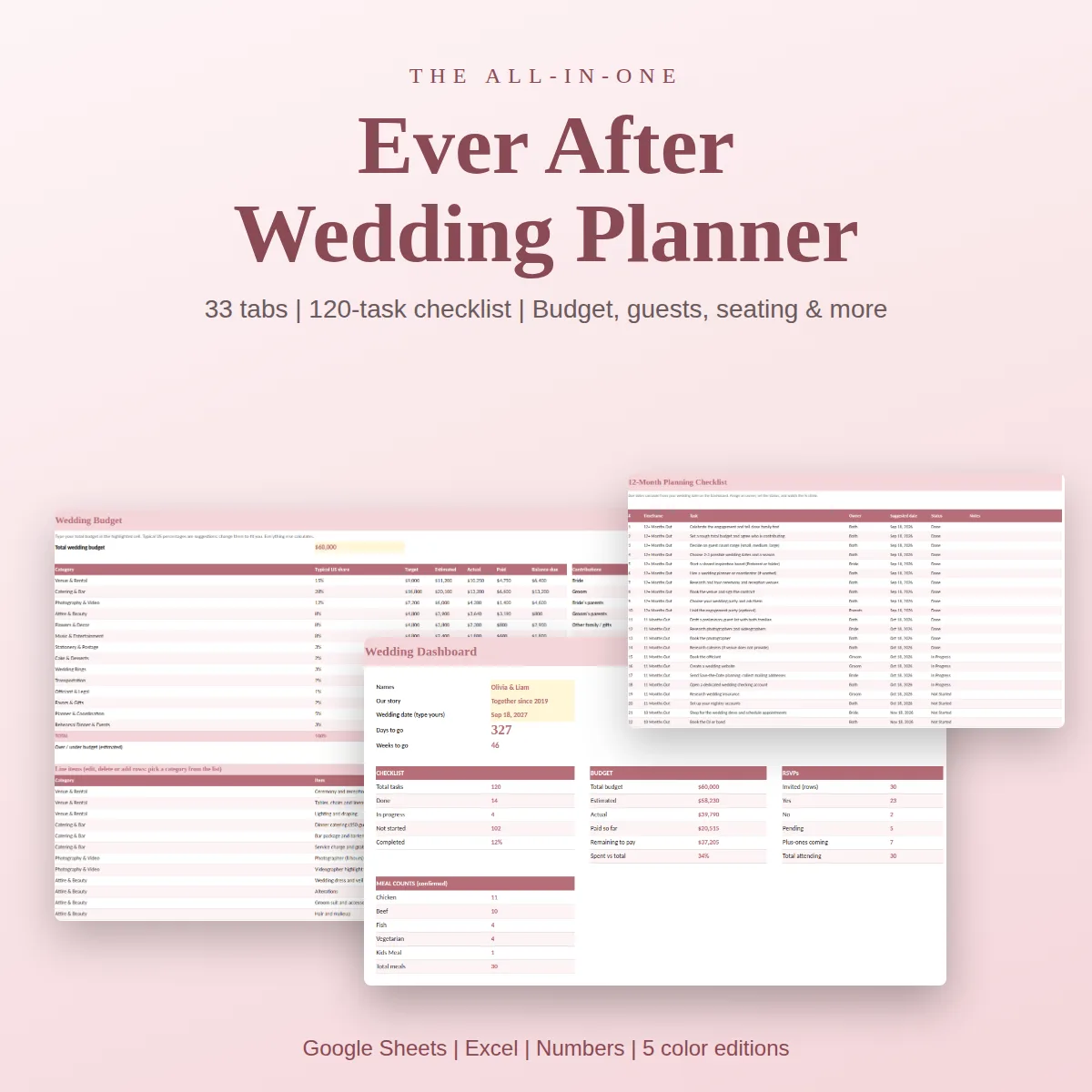
A wedding planning spreadsheet earns its place when it replaces the notes app, the email threads and the screenshots of quotes with one file you both trust. The goal is not a prettier list. It is a file where the guest count, the budget, the vendor payments and the calendar all agree with each other.
Here is what separates a spreadsheet that gets used from one that gets abandoned in month two, how to set one up in Excel, Google Sheets or Numbers, and how to keep it clean for the whole engagement.
Why a spreadsheet beats a pile of lists
Planning a wedding is mostly a coordination problem. You have a fixed date, a fixed budget and dozens of decisions that depend on each other. The venue sets the guest limit. The guest count sets the catering cost. The catering cost sets how much is left for flowers. A list cannot show those relationships. A spreadsheet can.
It also gives you something calming: a single number for each question. How many days left? How much have we committed? How many have said yes? How many open seats? When you can answer those in ten seconds, planning stops feeling like a pile of unfinished business.
The structure that works
Think of the file as a small set of connected tabs rather than one long sheet.
| Tab | Job | Feeds |
|---|---|---|
| Dashboard | Days to go, checklist progress, budget summary, RSVP and meal counts | Reads from everything |
| Checklist | Dated tasks by months out | Dashboard |
| Budget | Estimated, actual and paid per category | Dashboard, vendors |
| Payments | Deposits and balances with due dates | Budget |
| Guest list | One row per person: RSVP, meal, table | Seating, dashboard |
| Seating | Seats, open seats, meals per table | Guest list |
| Vendors | Status, cost, paid, balance, contact | Budget, payments |
| Schedule | Ceremony, reception and day-of timeline | Vendors, helpers |
If a template does not link those tabs, you will be the one linking them by hand, every week.
Excel, Google Sheets or Numbers
All three can run a wedding. The difference is in how you work.
- Excel is the strongest for formulas and drop-downs, and it works offline. It is best when one person owns the file and shares a copy when needed.
- Google Sheets wins on live co-editing and the phone app. It is best when both partners, and perhaps a parent, will edit.
- Numbers is fine for Apple-only households, as long as the file imports correctly.
Whatever you pick, test the move before you commit. Open the file in the app you will really use, change the wedding date, mark a guest as attending and see whether the checklist dates and the dashboard counts respond. A spreadsheet that looks right but does not calculate is a drawing.
Set up your wedding planning spreadsheet in seven steps
- Fix the anchors. Wedding date, venue (even if tentative), total budget and a rough guest range. Everything else hangs from these.
- Load the checklist. Make sure its dates are formulas based on the wedding date. If you move the date, the whole timeline should slide.
- Build the budget by category. Use percentages as a starting point, then replace them with real quotes as they come in.
- Enter vendors the moment you contact them. Status "contacted" is already useful; a quote you did not record is a quote you will have to ask for again.
- Start the guest list rough. Names first, details later. Mark who is on whose side and which group they belong to.
- Add payments as you sign. Every deposit and final balance gets a date, so the next due payment is never a surprise.
- Schedule a weekly check-in. Fifteen minutes, one tab at a time, with your partner.
Habits that keep it clean
- Separate inputs from formulas. Color the cells you type in and leave the calculated ones alone.
- One row, one thing. A guest, a vendor or a payment. Not "Mom and Dad and Aunt Lisa".
- Use drop-downs for statuses. Consistent words ("Booked", "Pending", "Paid") are what the totals count.
- Record the reason for changes. A note beside a changed price saves an argument later.
- Save a dated copy before big edits. Especially before sending numbers to the caterer or the venue.
Mistakes that make people quit
- Building from scratch at month one. You spend the energy on formatting rather than decisions.
- A different file for every topic. The data drifts apart and nobody knows which is current.
- No owner for each tab. If everyone updates everything, no one is sure what is right.
- Planning only the wedding day. The rehearsal dinner, the shower, the honeymoon and the thank-you notes are tasks too.
What a calm planning week looks like
On Sunday, fifteen minutes together. The dashboard shows how far along you are: days to go, share of the checklist done, money committed and paid, replies in. You open the checklist and pick three tasks for the week. You glance at the payments tab to see what is due soon. You update two guest rows. Done.
That is the whole reward of a good spreadsheet: the meeting about the wedding becomes short, and the rest of the week belongs to you. The file does the remembering so you do not have to.
A ready-made wedding planning spreadsheet
Ever After Planner is a finished version of the structure above. It has 33 tabs in five color versions, with a Start Here page that explains the inputs, a dashboard that counts days to go, checklist progress, budget status and RSVPs, a 120-task checklist whose dates follow your wedding date, a budget with typical share per category and estimated, actual and paid columns, a payments tab with flags for what is due, guest list, seating chart and layout planner, three vendor tabs, ceremony and reception timelines, a day-of run of show, and extra tabs for the rehearsal dinner, bridal shower, bachelorette, honeymoon, packing, gift registry and thank-you notes.
It works in Excel, Google Sheets and Numbers. Realistic sample rows are filled in, so you can see how each tab behaves before replacing them with your own. A printable PDF set covers the pages you want on paper.
If you are comparing options, start with the wedding planner template guide, which lists the nine parts a complete planner needs. For the money side, see the wedding budget spreadsheet guide.
This guide is general planning information and does not replace the terms of your own contracts.