Wedding Checklist Printable: Paper Pages That Still Stay Current
A wedding checklist printable is the version of your plan you can hold, tick and hand to someone else. It belongs on the fridge, in the binder and in the hands of the person helping you on the wedding week. What it cannot do alone is stay current. This guide shows how to use paper and a working file together so you get the calm of one and the accuracy of the other.
Why people print the checklist
A screen is good at calculating and bad at being noticed. Printed pages do the opposite. You see them every morning, you check boxes with a pen and your partner, your mother or your maid of honor can read them without an account or a password. Used well, printing is not a step back; it is the visible layer of the plan.
The risk is staleness. A printed page cannot recalculate a due date or tell you that the date moved. So treat paper as an output of your file, not the file itself.
What a good printable checklist looks like
- One timeframe per section. 12 months out, 11 months out and so on, down to the wedding week. Short sections feel doable.
- A box, a task and an owner. Who does it matters as much as what it is.
- A date or a deadline. Even a rough one.
- A notes line. Where the venue contact, a price or a decision goes.
- Readable at a normal print size. Letter paper, margins for a hole punch, no tiny grey text.
If a page looks pretty but you cannot read it from arm's length, it will not be used.
A print routine that works
- Print the next quarter, not the whole year. Plans change, and you will reprint less.
- Punch holes and put the pages in a binder with tabs for checklist, budget, vendors, guests and schedule. See the wedding planning binder guide.
- Tick on paper; update the file on Sunday. One short session, not a daily chore.
- Reprint the last two months weekly. Dates matter most near the end.
- Keep a "done" folder. Seeing the pile grow helps when you are tired.
- Make a one-page "this week" sheet. Pull three to five tasks from the checklist and tape it where you will see it.
Keep a master version
The checklist that matters is the one that knows your wedding date. In a spreadsheet, each task's suggested date is a formula: wedding date minus the months out. Change the date, and every deadline moves. Statuses (Not started, In progress, Done) feed a progress count, so you can answer "how far along are we?" in one cell.
Printing from that file gives you pages that are right today. The paper then becomes a snapshot, and you reprint when it matters.
PDF, Excel or Google Sheets?
| Format | Best for | Limit |
|---|---|---|
| Reading, printing, ticking boxes | Cannot recalculate | |
| Excel | Dated tasks, status counts, dashboard | Needs the app or a viewer |
| Google Sheets | Editing together and on the phone | Check formulas after import |
| Both, linked by routine | Most couples | A weekly sync |
For a simple list, a PDF is fine. For a plan that must move with the date, you want the spreadsheet too.
How to use the checklist without feeling behind
Most people open a long list and feel behind. Reframe it:
- Look at this quarter only. The rest is context.
- Choose one thing per day. Not all of them. One.
- Mark "not applicable" quickly. If you do not want a registry or a choir, cross it off and move on.
- Move rather than carry. If a task slips, change its date rather than leaving it red.
- Share the tasks. The owner column exists so that the load is visible.
Printing tips that save frustration
- Print one test page first to check margins before running the whole set.
- Use standard letter paper and a hole punch rather than pre-punched sheets, so the pages fit any binder.
- Choose black and white for working pages and color only for the cover and the overview.
- Write in pencil for dates that may still move, and pen once they are confirmed.
A free printable sample
You can see how the pages look before you decide. The sample below is a real page from the printable set that comes with the planner. Print it on letter paper to check the size, margins and spacing.
What to print first
If you only print one thing, print the next three months of tasks and a one-page overview of the wedding: date, venue, budget total, guest range and the five phone numbers you will need most. Put it at the front of the binder. The first time a vendor calls while you are out, you will be glad it is there.
Next in line are the pages you will write on: the guest list while replies arrive, the vendor contact sheet and the schedule. Leave the budget line items on the screen where totals can calculate, and print only the summary.
Finally, give yourself a reward for the pages that fill up. People who plan with paper often describe the satisfaction of moving a finished page to the done folder as the part that keeps them going through the long middle months.
A ready-made checklist you can print and keep current
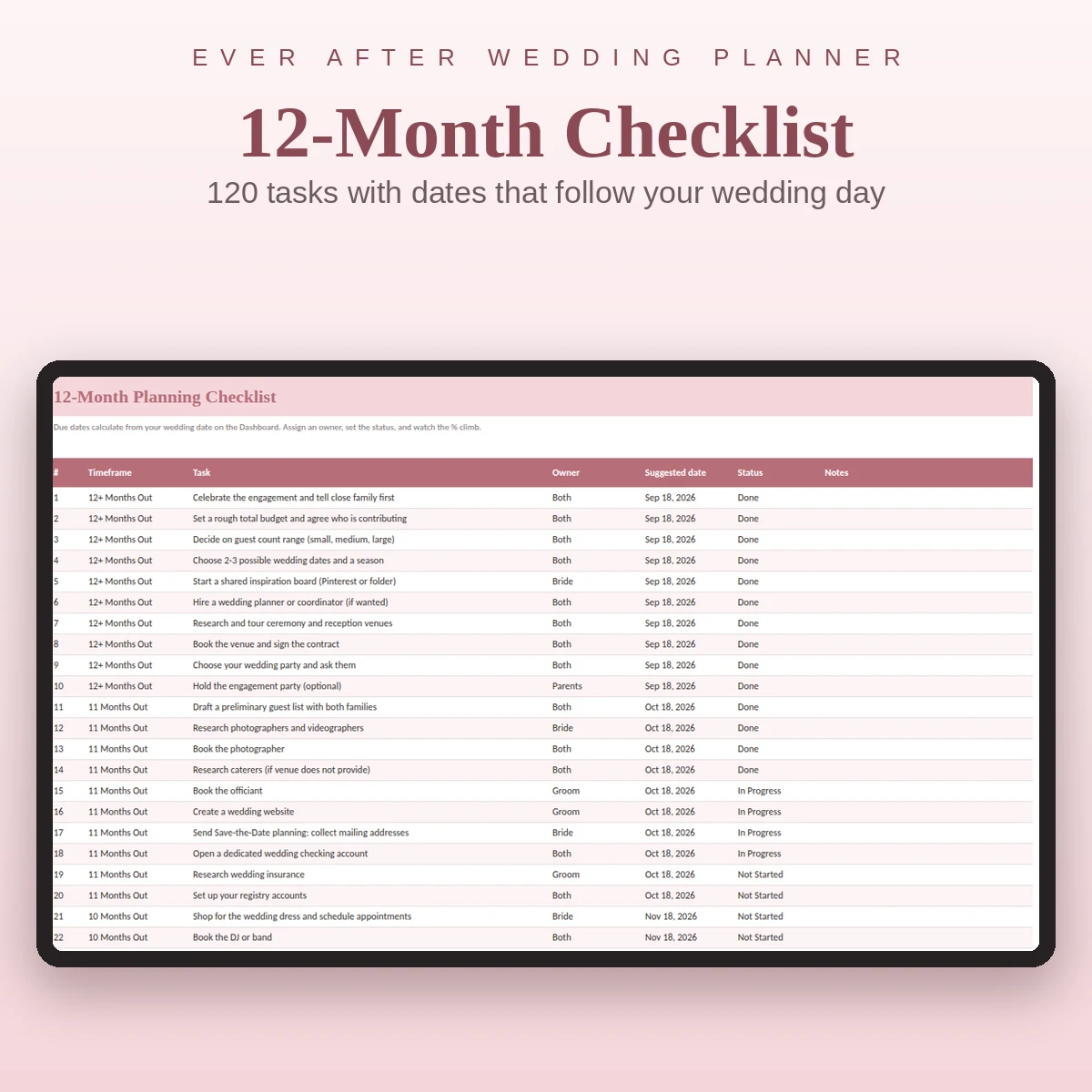
Ever After Planner includes the 12-month checklist as a working sheet and as printable pages. The sheet has 120 tasks, ten for each stretch from 12 months out to the wedding week, with an owner, a date that follows your wedding date, a status drop-down and a notes column. The Dashboard shows the share completed. The printable PDF set covers the pages that work best on paper, so your binder and your spreadsheet say the same thing.
It works in Excel, Google Sheets and Numbers. Start with the month-by-month checklist guide to see what each stretch contains, and the guest list guide for the next page you will probably want to print.
This guide is general planning information. Confirm legal and contract requirements for your own wedding.